The app at a glance
Every document in one place.
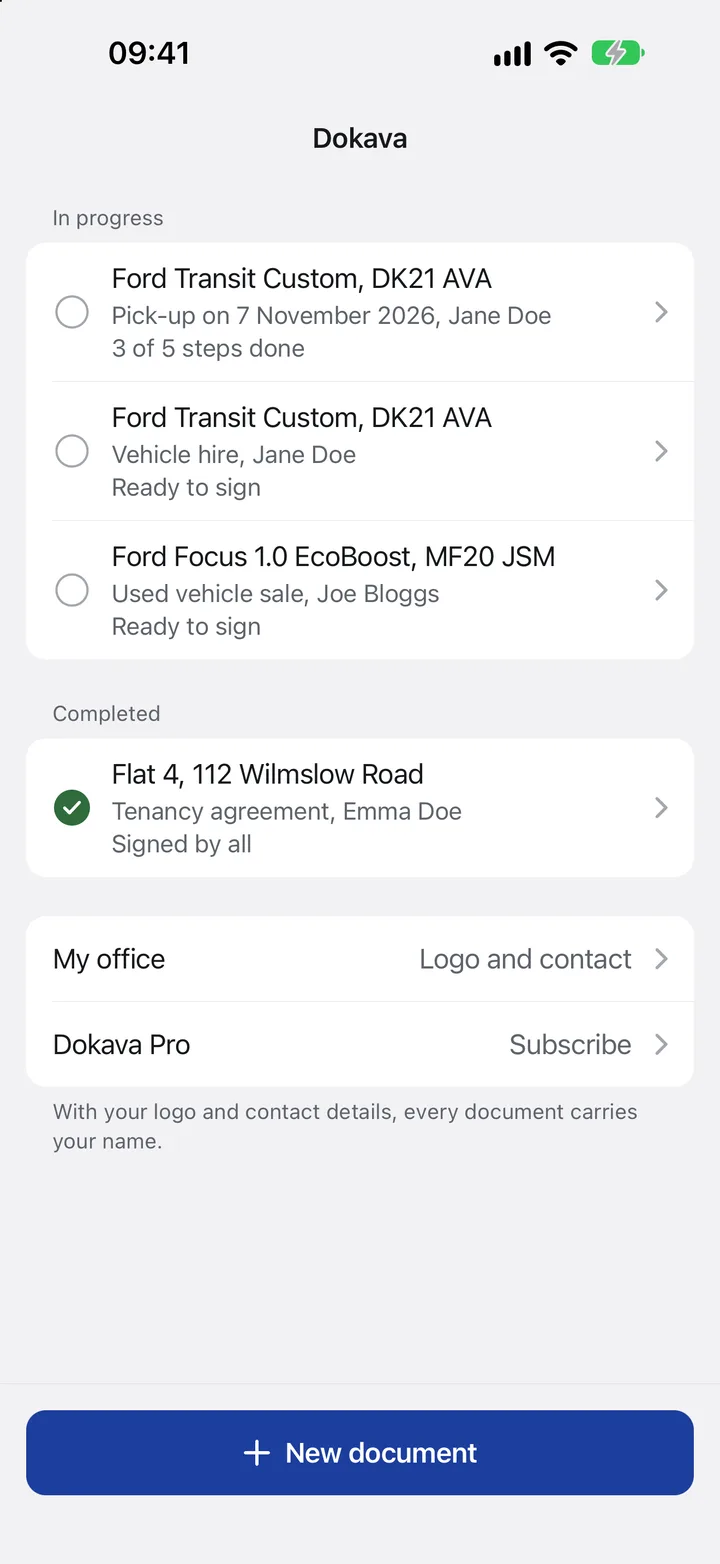
The home screen shows at a glance what is in progress and what has already been signed.
- Handover in progressThe app shows which steps are still to do.
- Ready to signEvery detail is filled in, only the signatures are missing.
- This leaseSigned by everyone and completed.
- Your logo on every PDFEnter your company and contact details just once.
- New documentA report, a contract or a custom document.
Property handover, step by step.
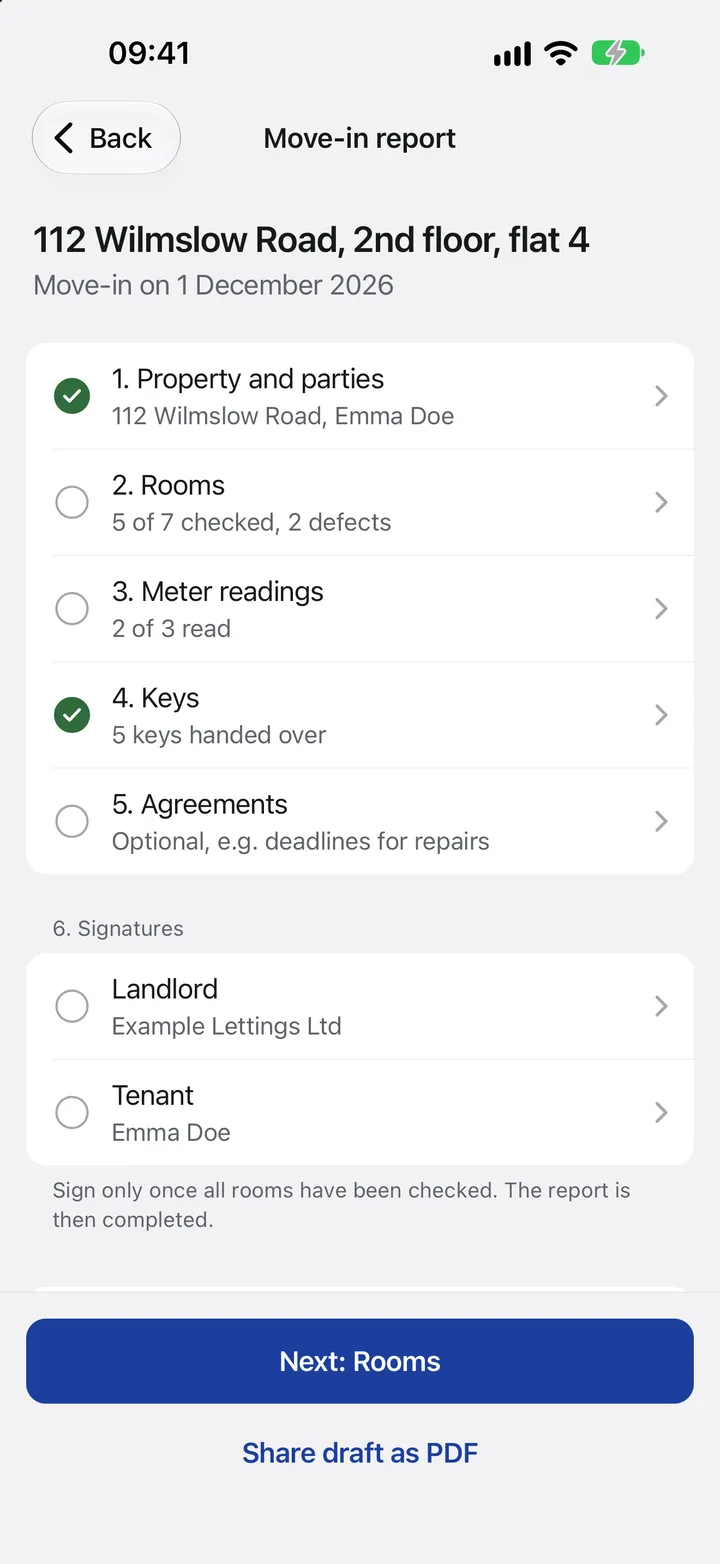
Move-in or move-out: the app guides you through rooms, meter readings and keys.
- Move-in or move-outAt move-out, the app carries over the defects from move-in.
- 5 of 7 rooms checkedThe app keeps track of what is done and what is still missing.
- Meter readingsElectricity, water and heating, with a photo of the meter.
- Keys handed overEvery key with its quantity, so nothing goes missing later.
- Both signLandlord and tenant, right there in the property.
Checked room by room.
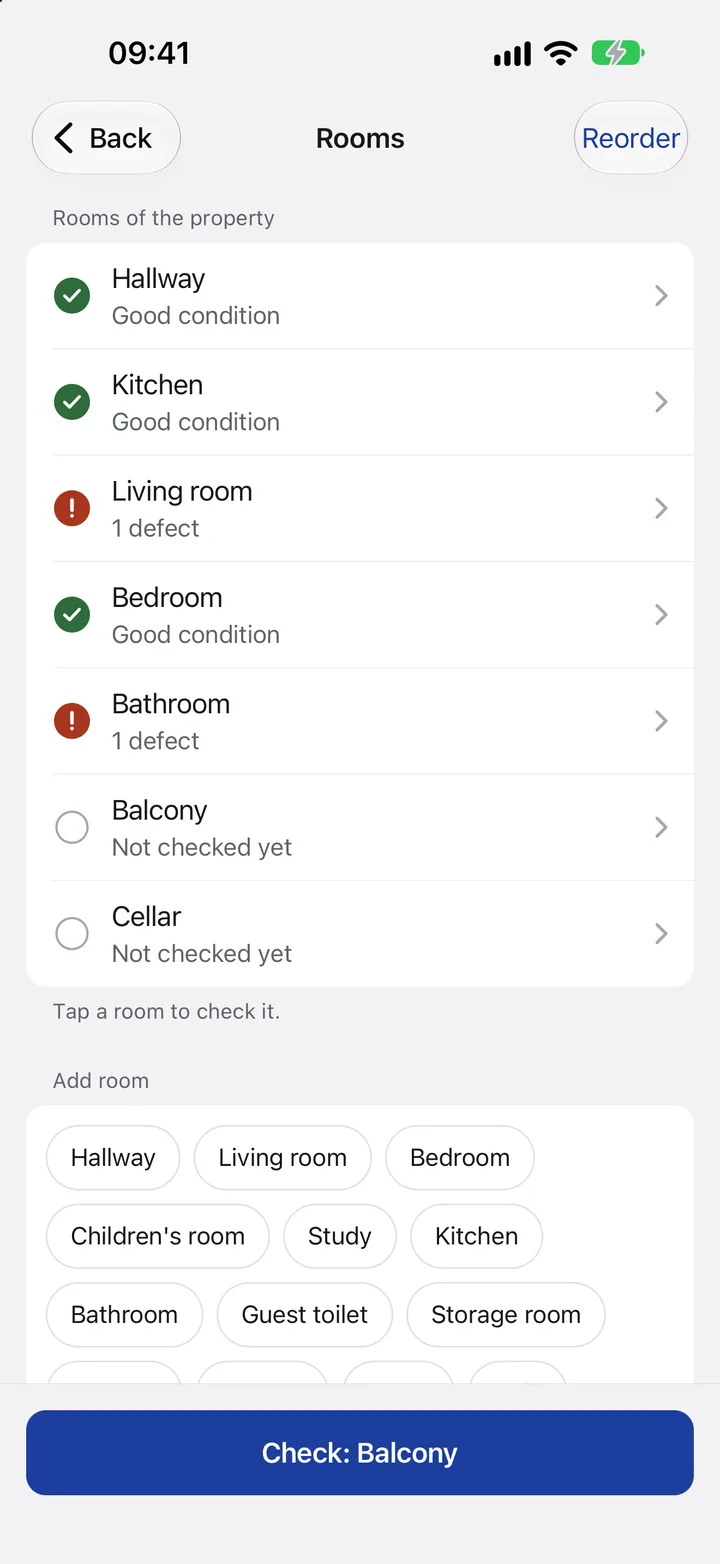
A tick for everything in good condition. Defects with a description and photo.
- Good conditionEvery checked room gets a tick.
- Defect in the living roomWith a description and photo, such as a scratch in the parquet.
- Not checked yetYou can see at once what is still missing.
- Custom roomsAdd a children’s room, guest toilet or basement with one tap.
- On to the next roomThe app guides you through the whole property.
Vehicle handover, made simple.
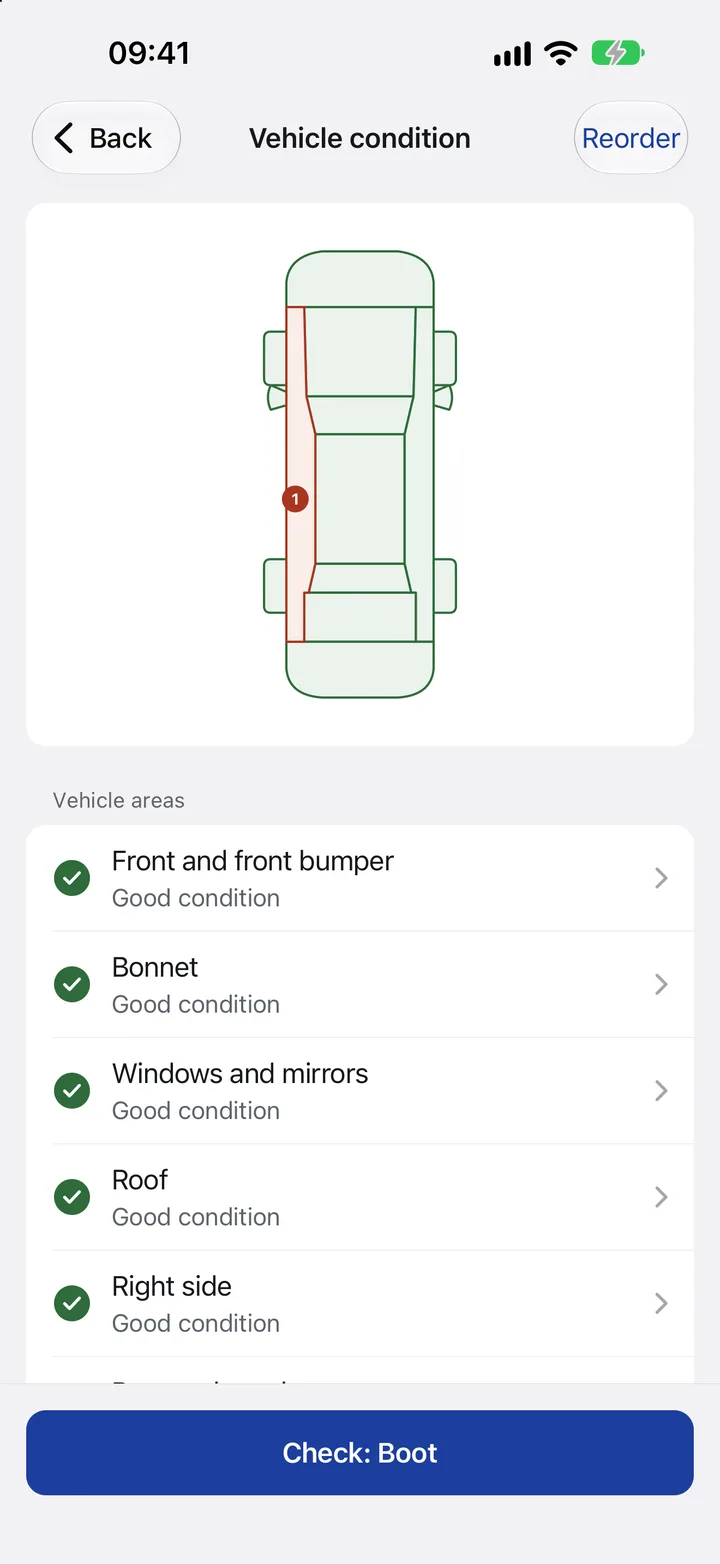
Area by area, all the way around the vehicle. Tap any damage directly on the diagram.
- This scratchTap the spot, describe it, add a photo.
- Checked and in good conditionEach area turns green as soon as it is done.
- Area by areaFrom the front to the boot.
- On to the next areaThe app guides you around the whole vehicle.
Leases and sales contracts, made simple.
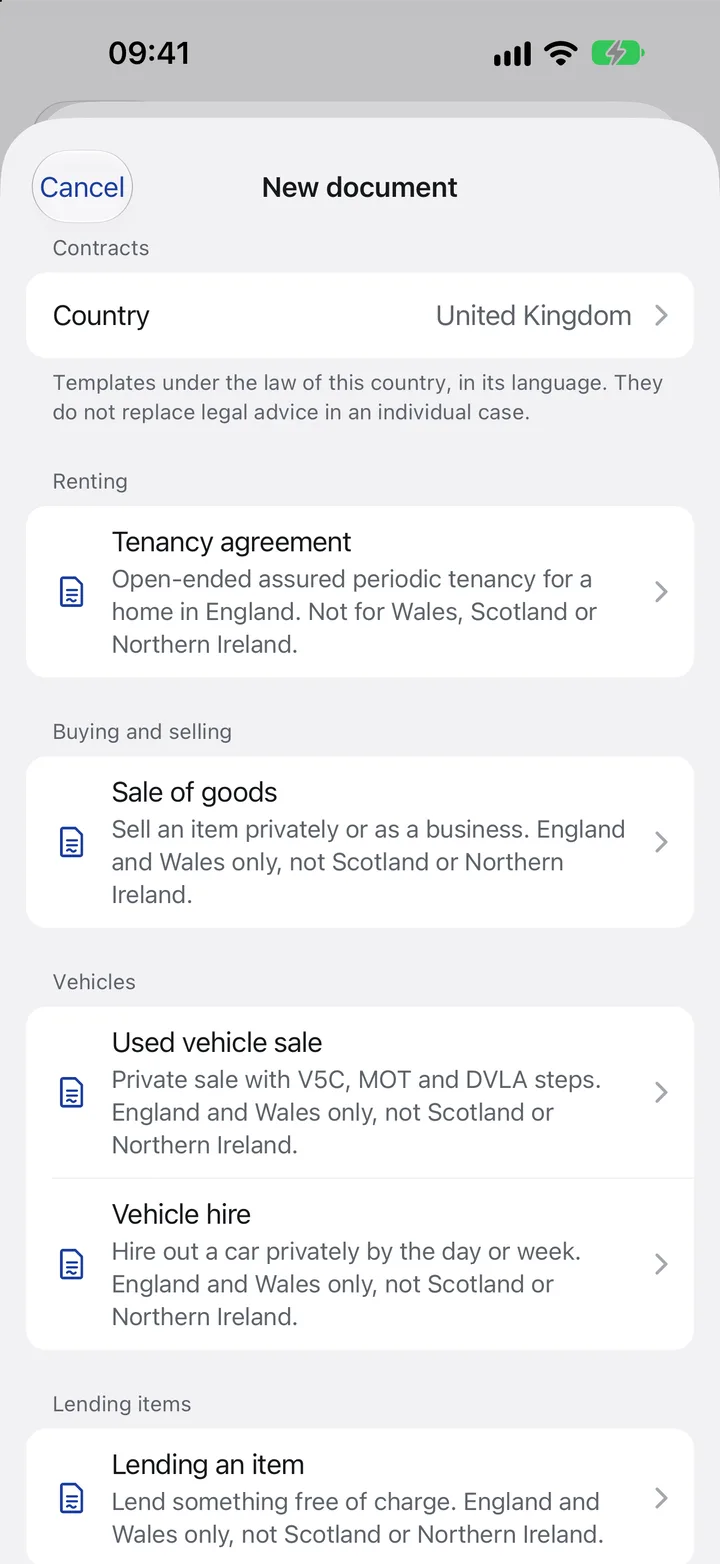
Ready-made templates, sorted by category. Tap, fill in, sign.
- Choose a countryTemplates under the law of that country.
- Tenancy agreementOpen-ended assured periodic tenancy for a home in England. Not for Wales, Scotland or Northern Ireland.
- Sales contractsSell an item privately or as a business. England and Wales only, not Scotland or Northern Ireland.
- VehiclesRent out or sell, with condition and documents.
A sales contract in a few minutes.
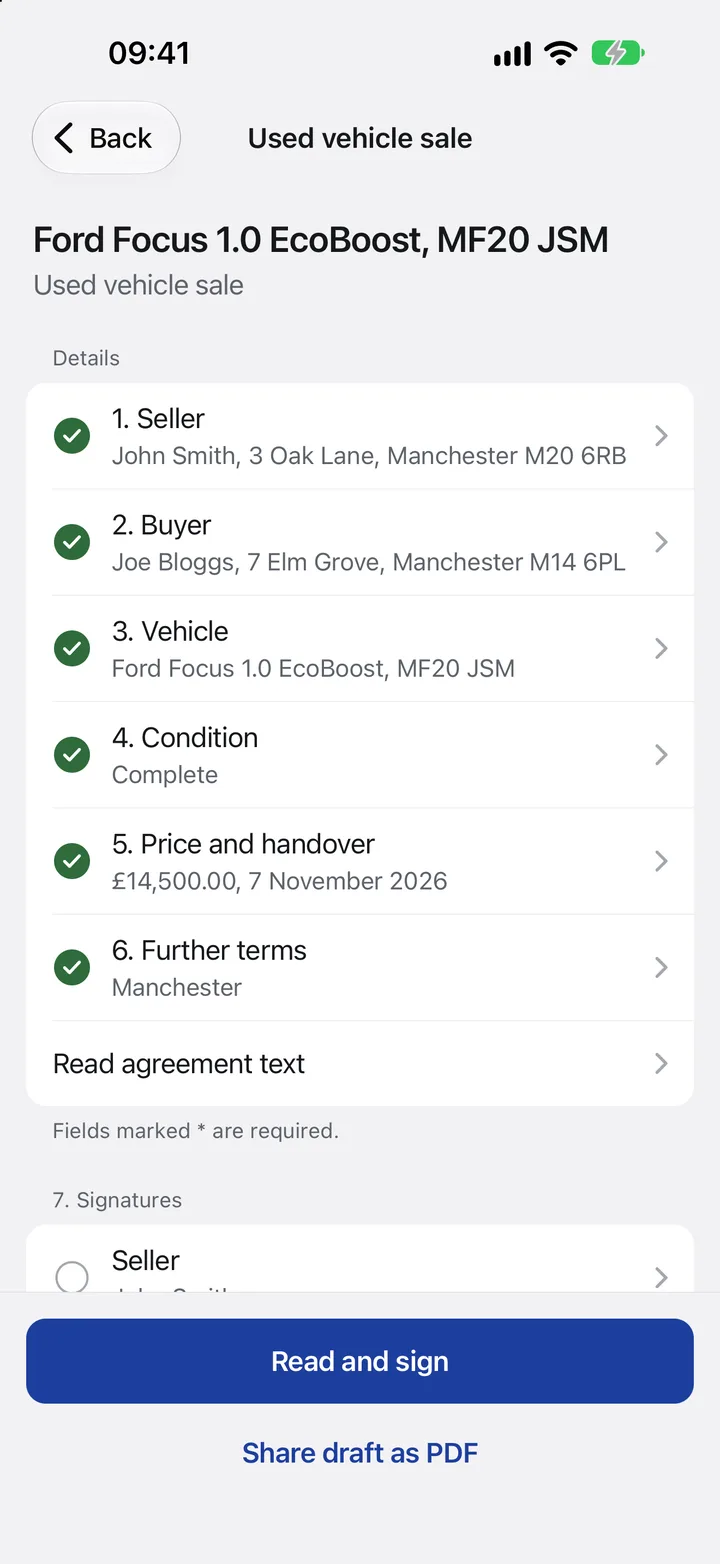
Take a used car: the app asks for everything that belongs in the contract.
- Seller and buyerName and address of both parties.
- Vehicle with VINModel, registration number and vehicle identification number.
- Condition and defectsAnything known goes into the contract in black and white.
- Purchase price £14,500With the handover date.
- Read agreement textThe full contract, before anyone signs.
For eight countries and the rest of the world.
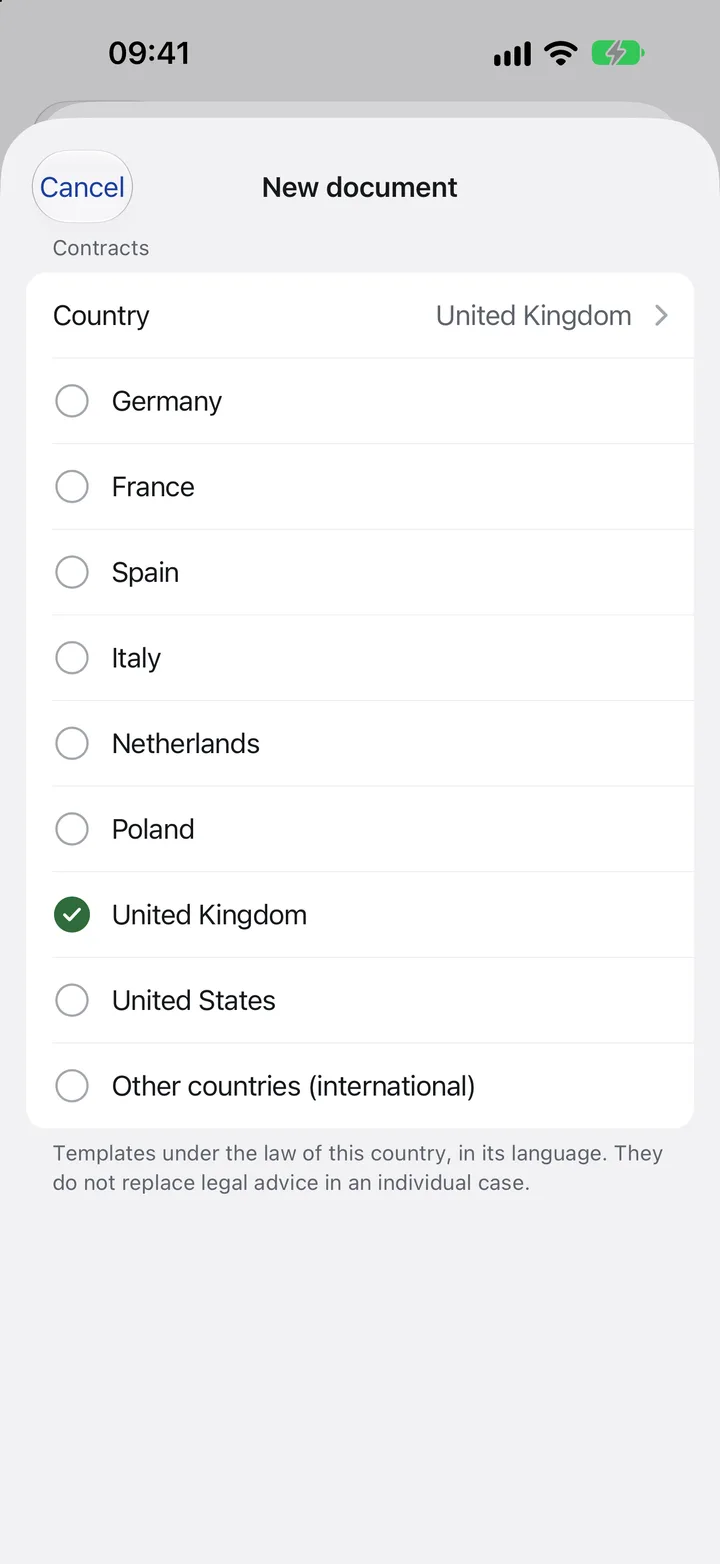
Every template follows the law of its country and is written in its language.
- United KingdomTemplates for England and Wales, in English.
- In the local languageGermany, France, Spain, Italy, the Netherlands and Poland, each in its own language.
- USALeases for ten states.
- All other countriesInternational templates in every app language.
Lending, loans, receipts.
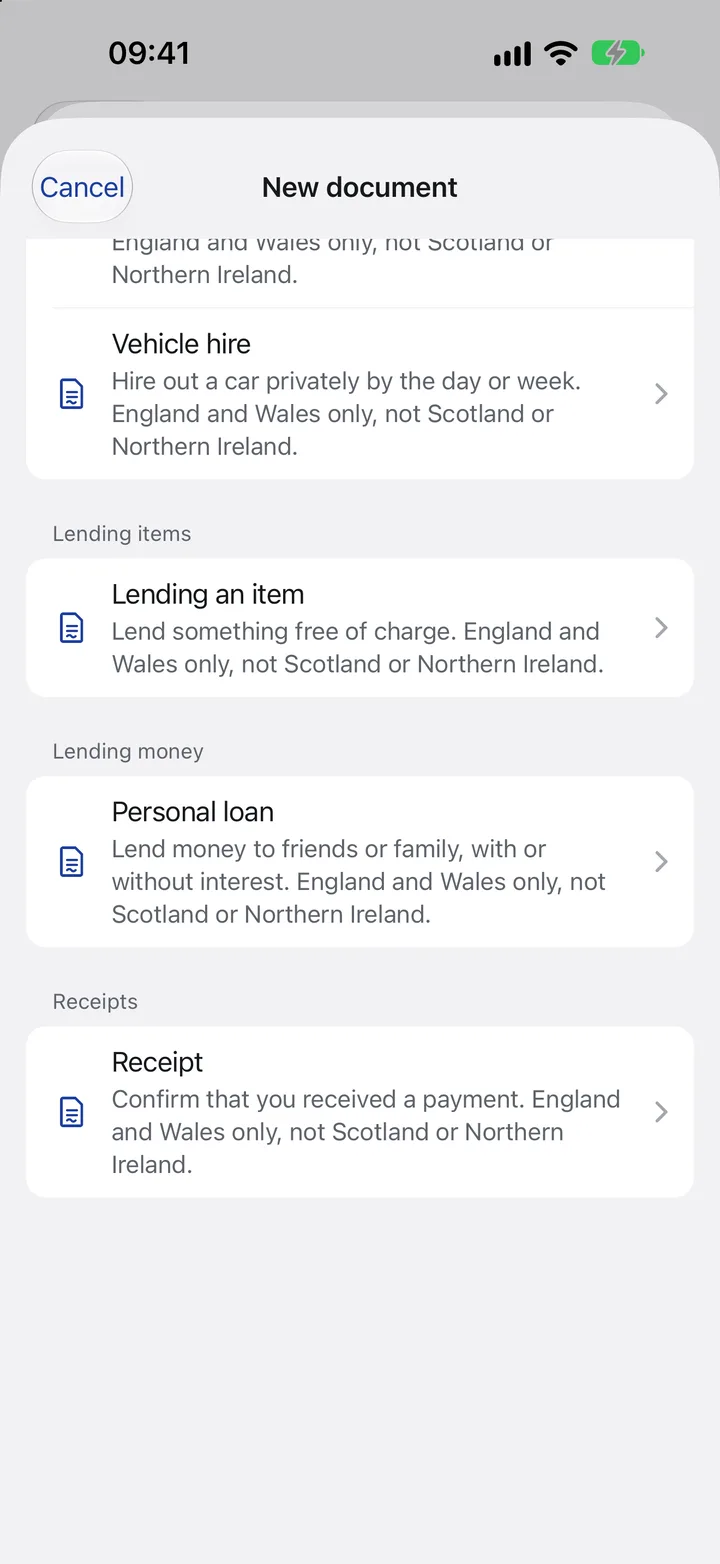
There is a matching template for borrowed items and for money, too.
- Item loan agreementWho lends what to whom, in writing.
- Private loanMoney between private individuals, with a repayment plan.
- ReceiptConfirm receipt of a payment, instantly as a PDF.
Your own document, for everything else.
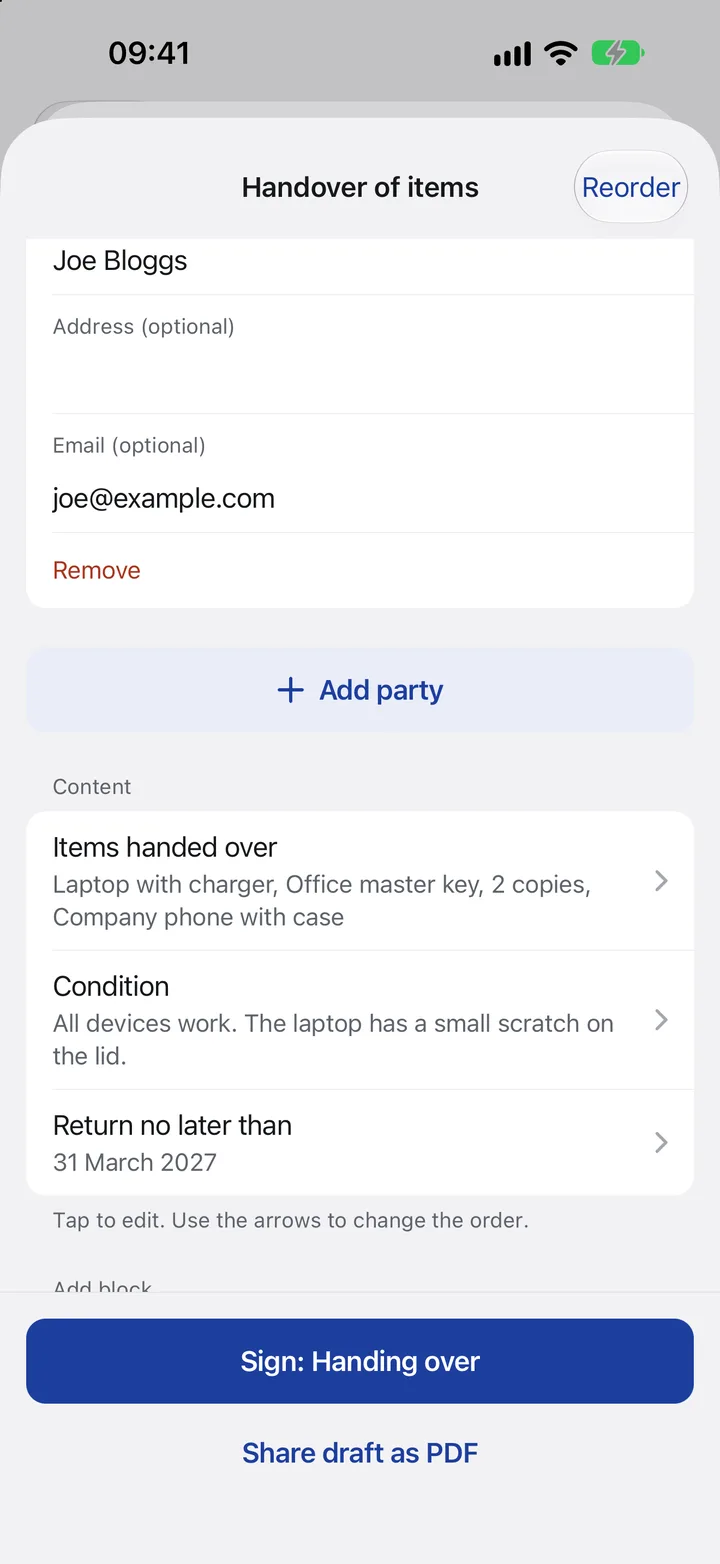
Combine parties, checklists, text and photos as you like, in any country.
- Choose any partiesPeople handing over, people receiving or witnesses, as many as you need.
- List of itemsTick off what was handed over.
- Condition in your own wordsText, photos and amounts as building blocks.
- Return byA date everyone can find in the PDF.
- SignCustom documents are signed on site too.
Sign right there, on site.
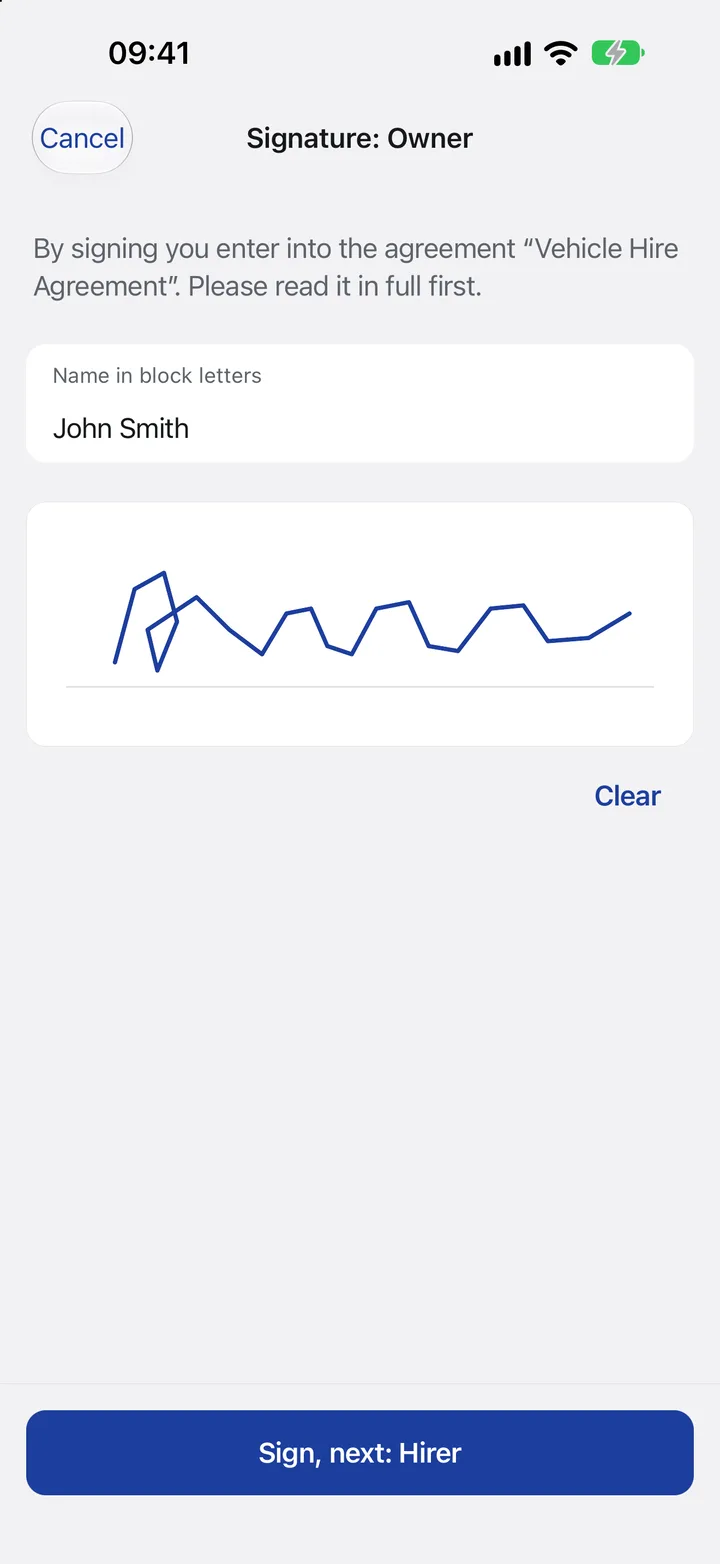
Everyone signs one after another on the same device, with a finger.
- Know what you signAbove every signature, the app states what it confirms.
- Name in block lettersAlready filled in from the contract.
- With your fingerThe signature goes straight into the PDF.
- Pass it to the next personThe phone goes from hand to hand.
Checked and completed.
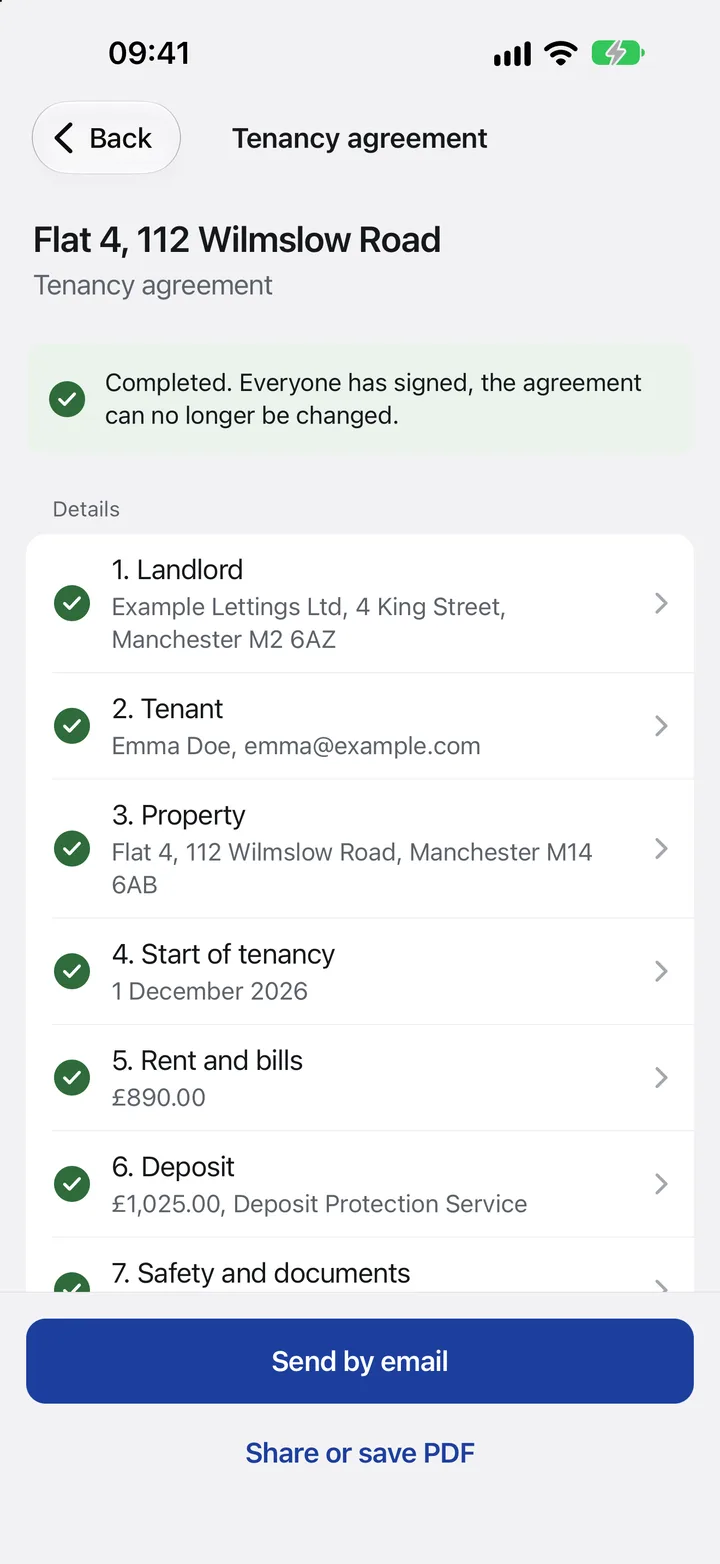
The app checks every detail first. After the last signature, the contract is locked.
- CompletedAfter the last signature, nothing can be changed.
- Limits checkedFor example the deposit, within the legal limit.
- By email to everyoneOr share, save and print it as a PDF.
One PDF for everyone.
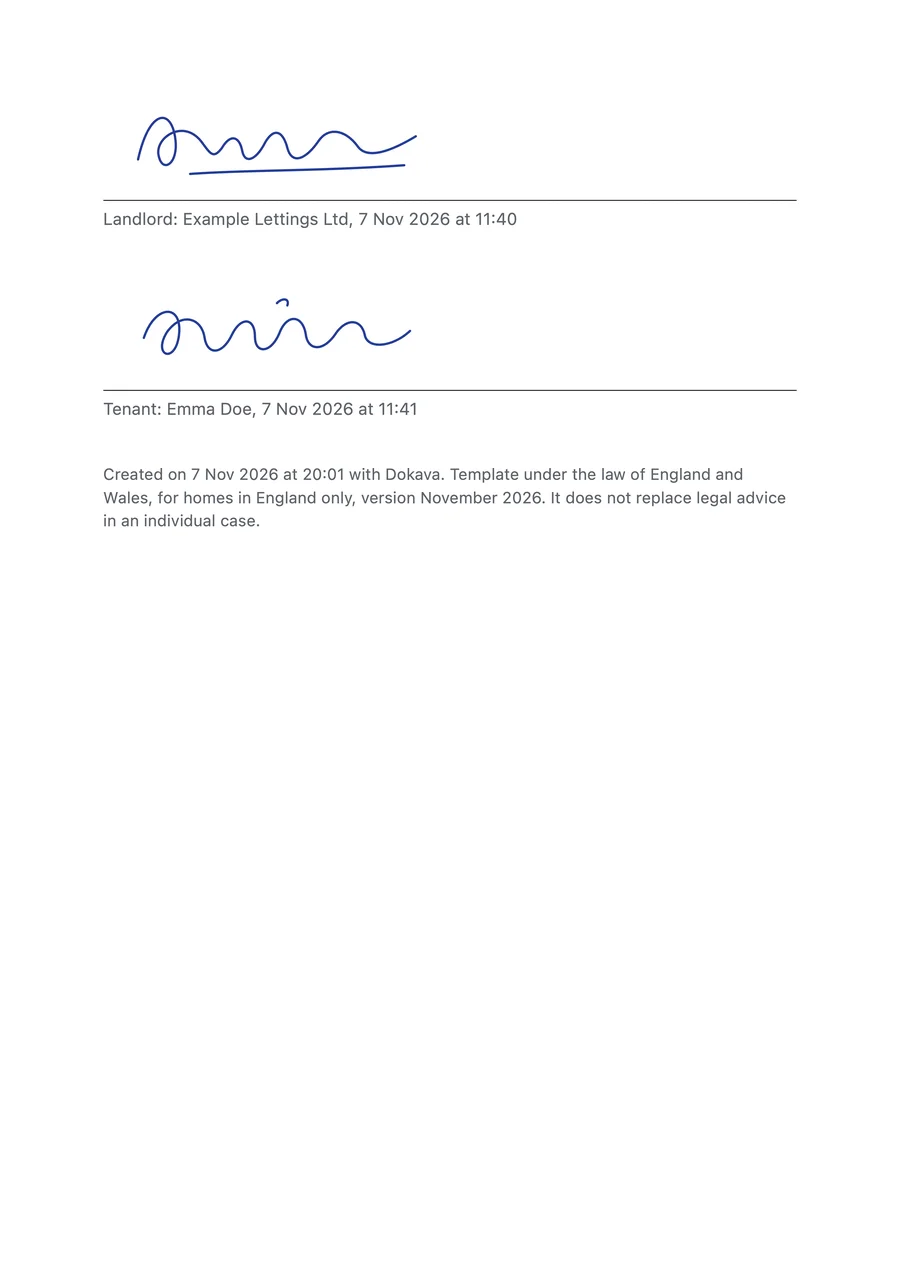
With signatures, names, date and time. Every party gets it by email.
- This signatureExactly as it was drawn.
- Name, date, timeRecorded under every signature.
- Every party signsLandlord, tenant and everyone else involved.
- Governing law and dateEvery PDF states which law the template follows.
 Dokava